


Desktop
Wallpaper & glass
The wallpaper behind the whole shell, and the glass every surface over it is made of: toned by the wallpaper, just opaque enough to read, opaque in performance mode.
The wallpaper sits behind the whole shell: the sidebar, the windows and the desktop. Every surface over it is glass made from the theme's own ground (background, card, popover, sidebar) and toned by the wallpaper, so a desktop on Lagoon reads cool and one on Ember warm, in light and dark mode. Each member picks their own; two members of one workspace see different desktops.
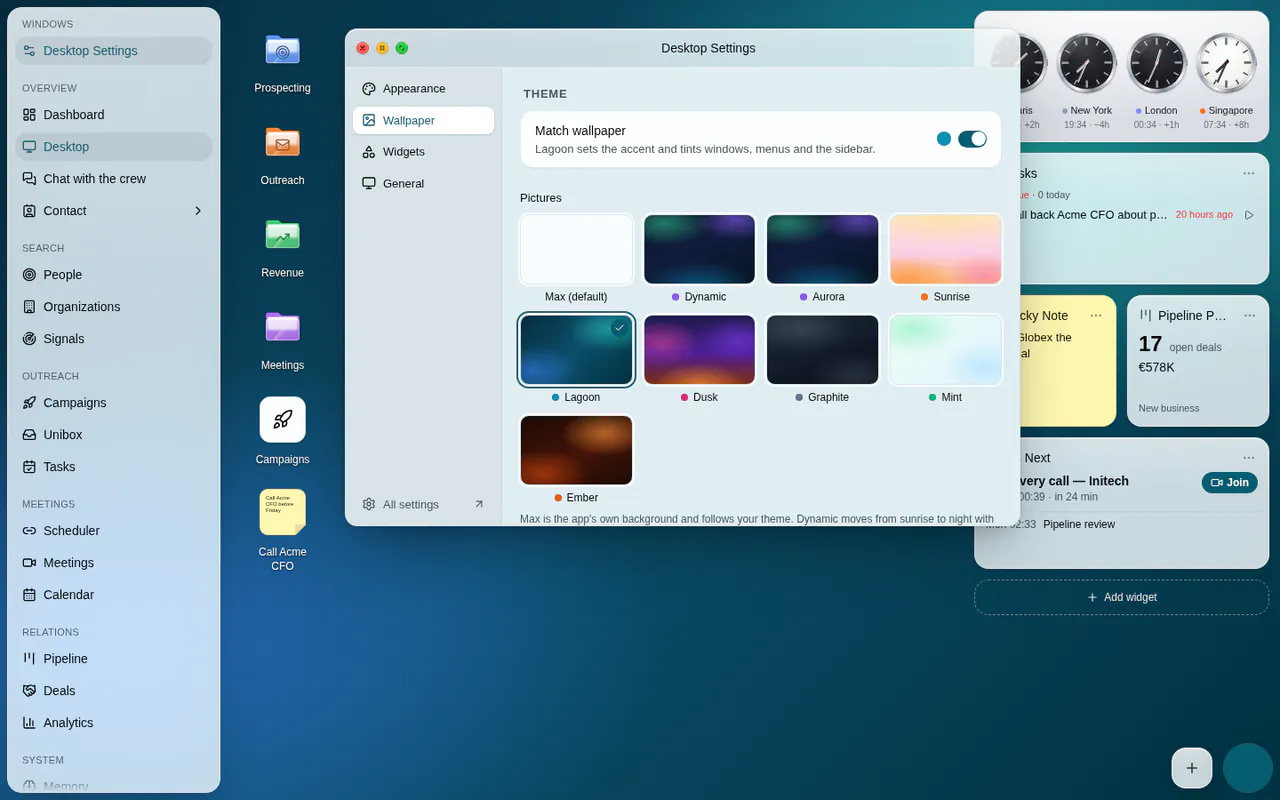
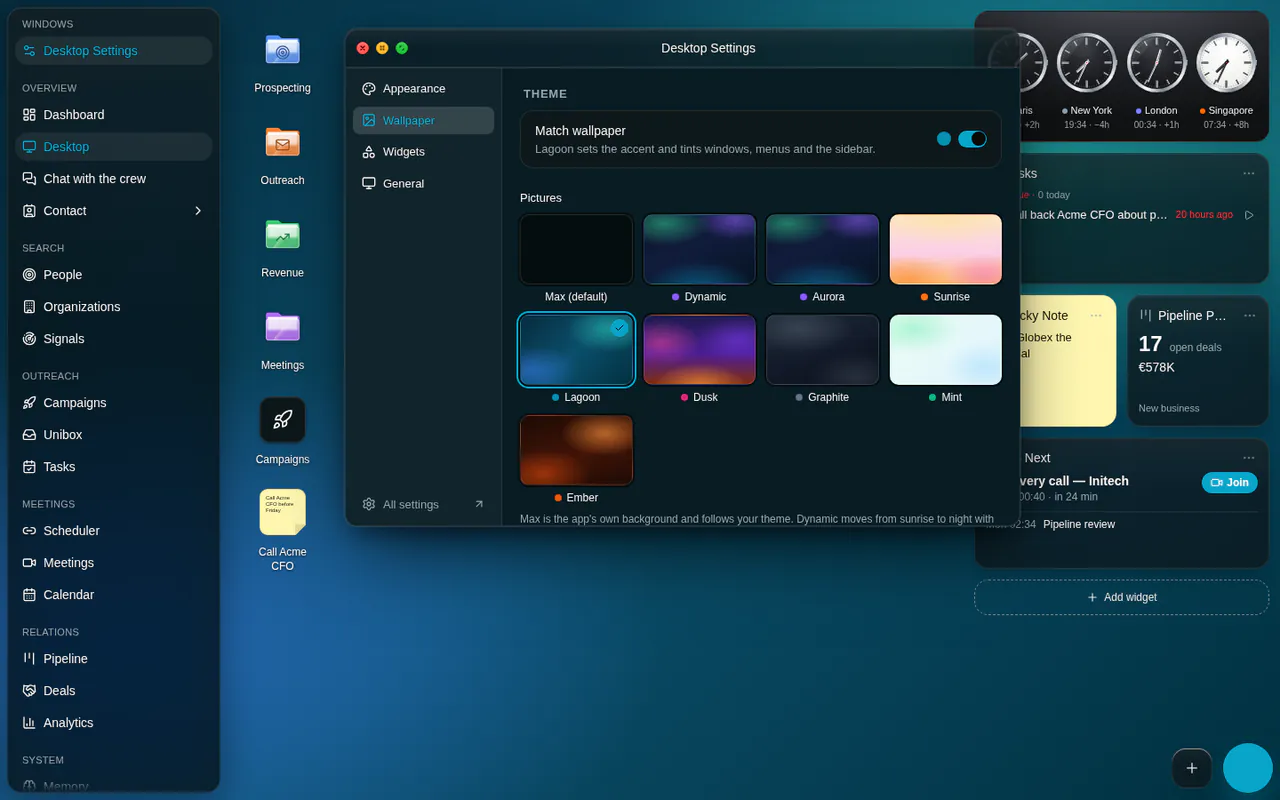
Presets#
The pictures are layered CSS gradients: no download, nothing to decode, crisp at any size. Each one with a colour of its own names a theme colour and says whether it is dark artwork (core/wallpapers.ts).
| Wallpaper | Theme colour | Artwork | Notes |
|---|---|---|---|
| Max (default) | None | The app's own ground | Draws nothing: the shell's background and theme show through. Every new desktop starts here |
| Dynamic | The current preset's | Follows the hour | Sunrise from 05:00, Lagoon from 09:00, Dusk from 17:00, Aurora from 21:00, by the local hour |
| Aurora | #8b5cf6 |
Dark | Green, violet and sky glows over deep navy |
| Sunrise | #f97316 |
Light | Peach, pink and orange |
| Lagoon | #0891b2 |
Dark | Teal and blue over a deep sea |
| Dusk | #db2777 |
Dark | Orange, pink and violet over indigo |
| Graphite | #64748b |
Dark | Slate on near-black |
| Mint | #10b981 |
Light | Mint and sky on white |
| Ember | #ea580c |
Dark | Orange and rust over near-black |
Colours and your own picture#
- Colours: eight swatches (
#0f172a,#1e3a8a,#312e81,#4c1d95,#7c2d12,#14532d,#e2e8f0,#fde68a) and Custom, the browser's colour picker. A solid colour is its own theme colour. One drag across the picker is one undo step. - Your own picture: an
https://address of an image, without spaces or quotes. Anything else is refused with "Use an https:// address that opens an image, without spaces or quotes." The browser loads it from its address each time withreferrerpolicy="no-referrer"; it is never uploaded. While it is the wallpaper, the Wallpaper tab shows it, ticked, above the address field. - A picture that does not load leaves a plain dark ground (
#111827), never the browser's broken-image icon, and the picker says why: "This picture can't be loaded, so the desktop shows a plain dark background." - Choosing the wallpaper already showing is not an edit, so there is nothing to undo.
Match wallpaper#
Match wallpaper (themeFromWallpaper, on by default; in Desktop Settings, Settings › Appearance › Colors and the + panel) makes the wallpaper's colour the app's theme colour: it paints the accent and tints windows, menus and the sidebar. Dynamic uses the current preset's colour; a solid colour is its own; Max's own ground and pictures have none, so the member's accent stays. Turning it off, or picking an accent, brings the member's own accent back unchanged.
The row's caption says what happens: "Lagoon sets the accent and tints windows, menus and the sidebar.", "Your picture has no color of its own, so your accent color is used." or "Max keeps your own accent color, whatever the wallpaper."
Whatever the switch, the accent is shaded to read on the glass: its lightness steps, hue and saturation kept, until accent text reads at 4.5:1 on every colour the glass can show (deeper in light mode, lighter in dark).
Label ink#
Desktop labels (icon names, and Add widget under the widget bar) switch between white and dark ink by the wallpaper behind them:
- Presets say it: Aurora, Lagoon, Dusk, Graphite and Ember are dark artwork and take white labels; Sunrise and Mint take dark ones.
- A solid colour takes white labels only below a relative luminance of 0.2, where white and near-black read equally well. Bright greens, cyans and oranges get dark labels.
- A picture is unknown: its labels get light text and a shadow.
- Max's own ground follows the theme.
- Where the wallpaper is not behind them (a phone's home screen, which is a page on the window's own ground, and the widget drawer on hover, a glass panel of its own), labels and Add widget use the theme's ink.
Relative luminance is WCAG's: 0.2126 R + 0.7152 G + 0.0722 B over the linearised channels.
Glass#
Three families, all made from the theme's ground and the wallpaper's colours:
| Family | Where | With full effects | In performance mode |
|---|---|---|---|
.theme-glass |
Chrome: the sidebar, the shell bar, widgets, the desktop controls | The ground at --glass-chrome-alpha (never under 80%), blur(32px) saturate(180%), a sheen from the top (22% white; 4% in dark mode) |
Opaque: the ground mixed with the wallpaper's tone |
.window-glass |
Page grounds: the main window and every floating window's body | Never see-through: the ground at --glass-window-alpha (86% by default) mixed with the wallpaper's tone into an opaque colour, with a 1px top rim |
The same |
.sos-glass* |
Title bars, menus, popovers, tiles | A translucent tint at the same opacity, blur with saturate(180%), a 1px inner top highlight and a soft multi-layer shadow |
Opaque, toned by the wallpaper |
The .sos-glass* presets, named in code (ui/motion/glass.ts) so the look changes in one place:
| Preset | Class | Ground | Blur | Used for |
|---|---|---|---|---|
glassPanel |
sos-glass |
background |
24px | Sidebars, panels, widget grounds |
glassChrome |
sos-glass-strong |
card |
30px | Floating windows' title bars and frames |
glassMenu |
sos-glass-menu |
popover |
32px | Right-click menus, popovers, the + panel |
glassTile |
sos-glass-tile |
background |
16px | Small tiles and chips |
- Menus are the reference. The theme's ground at 80% reads clearly in both modes over any wallpaper and lets at most a fifth of its colour through, so no glass is more transparent. A surface goes more opaque when its muted text needs it, against every wallpaper colour as it is and as the frost saturates it: chrome keeps 4.5:1, page grounds 6:1. A wallpaper that fights the mode, such as a pastel one in dark mode, gets nearly solid glass.
- The tone (
--glass-tone) is the wallpaper's average colour. A picture lends none: page grounds over one are the theme's plain ground. - Desktop icon tiles get the highlight and shadow only, never a blur: a desktop holds many of them.
- Finder's and Settings' sidebars inside a window are a 4% shade of the window's glass, with no blur of their own.
sos-grainadds a faint noise so large frosted areas never band.- Without a wallpaper (Max's own ground, or before the desktop first loads) nothing is published and the defaults hold: chrome 80%, windows 86%, no tone, the accent unchanged.
How opaque the glass gets per wallpaper:
| Wallpaper | Tone | Light: chrome / window | Dark: chrome / window |
|---|---|---|---|
| Aurora | #244a6e |
80% / 91% | 80% / 80% |
| Sunrise | #fbba9d |
80% / 80% | 84% / 89% |
| Lagoon | #176381 |
80% / 90% | 80% / 82% |
| Dusk | #883e6e |
80% / 90% | 80% / 81% |
| Graphite | #262f3d |
80% / 91% | 80% / 80% |
| Mint | #c6f1ee |
80% / 80% | 85% / 90% |
| Ember | #7e3713 |
80% / 91% | 80% / 80% |
| A picture | — | 81% / 91% | 86% / 90% |
Performance mode#
Performance mode is the default (Settings › Appearance › Visual effects, also in Desktop Settings › Appearance); Full effects brings the blur and movement back.
- No element has a
backdrop-filter: one rule removes them all. In Chromium on macOS a single one makes the browser composite the whole window every frame. - Glass becomes an opaque ground mixed with the wallpaper's tone, so it keeps the wallpaper's colour without showing what lies behind. The same happens where the browser has no
backdrop-filterand underprefers-reduced-transparency. - Movement becomes fades (see Motion).
- Nothing on the desktop needs the blur to be readable, so nothing changes but the look.
Guidelines#
Use the presets and the glass classes as they are: .theme-glass for chrome, .window-glass under any page, the glass* presets for title bars, menus and tiles.
Behaviour: the wallpaper is per member and per workspace, saved with the desktop. The glass follows it live: pick another wallpaper and the sidebar, windows and menus take its tone at once.
Don't put text straight on the wallpaper without the label rule, make glass more transparent than a menu's 80%, add a glass recipe of your own, blur desktop icons, or depend on the frost for contrast.